A private, offline grammar checker that runs on your Mac.
Pick an open model, download it once, and it runs right on your Mac. No internet, no API key, no bill. MacWriteBuddy fixes your writing in any app, and with a local model your words never leave the room.
Version 1.2.2macOS 14 Sonoma or laterApple silicon & IntelHow to install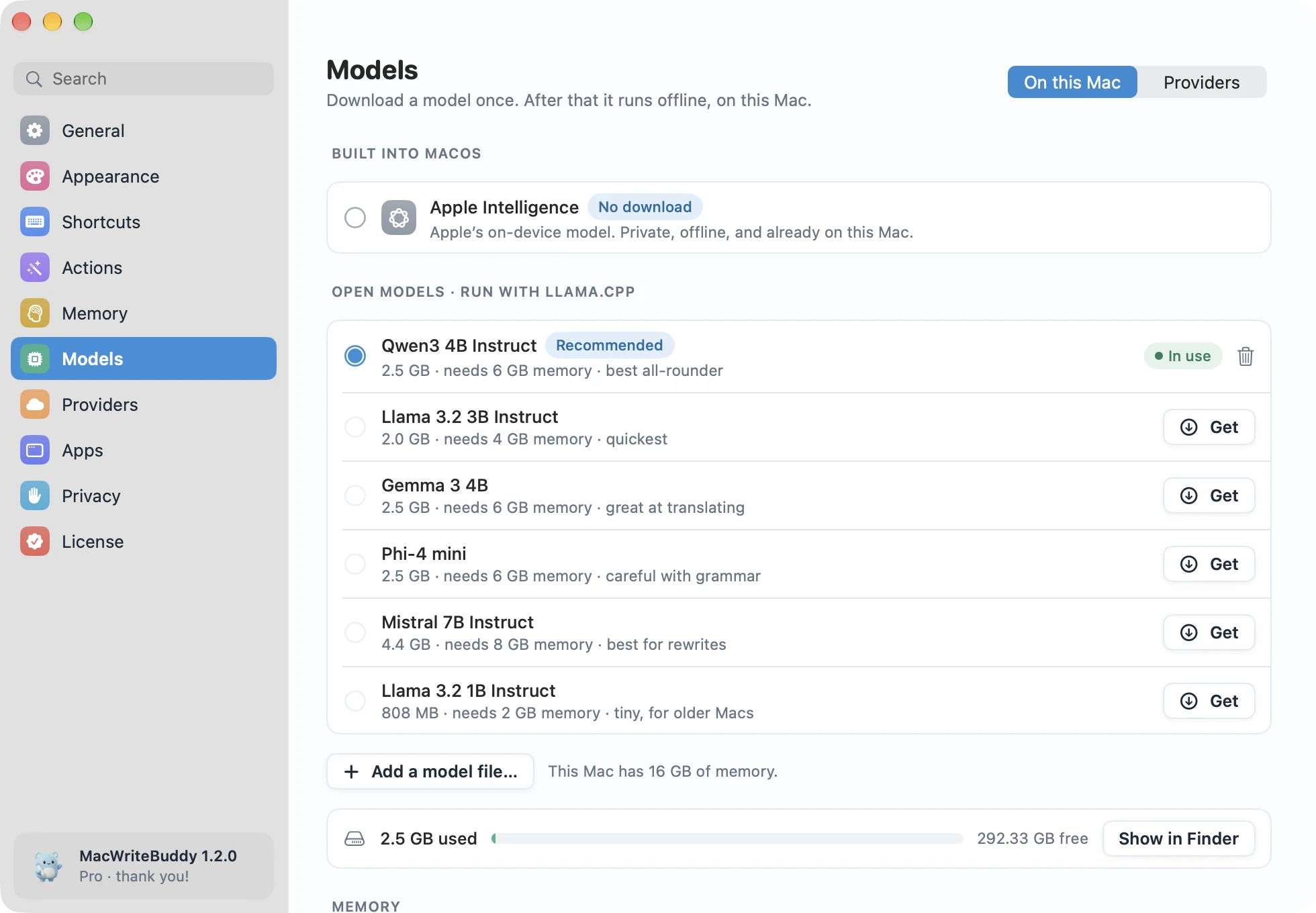
Highlights
- A short list of small, fast models picked for writing
- See the download size and memory each one needs
- Works on a plane, in a café, or with Wi-Fi off
- On macOS 26 or later, Apple Intelligence works too, with nothing to download
Small models, picked for writing
Settings › Models lists a few small open models chosen for fixing and rewriting text, such as Qwen3 4B, Llama 3.2, Gemma 3, Phi-4 mini, and Mistral 7B, with the download size and memory each one needs. Download one, and every shortcut uses it.
Apple Intelligence, with nothing to download
On macOS 26 or later, MacWriteBuddy can use Apple Intelligence, built into macOS, so you can start fixing your writing without downloading a model at all.
Or bring your own server
Already run Ollama or LM Studio? Point MacWriteBuddy at it and your text stays on your own network, on your own hardware.
Private by design
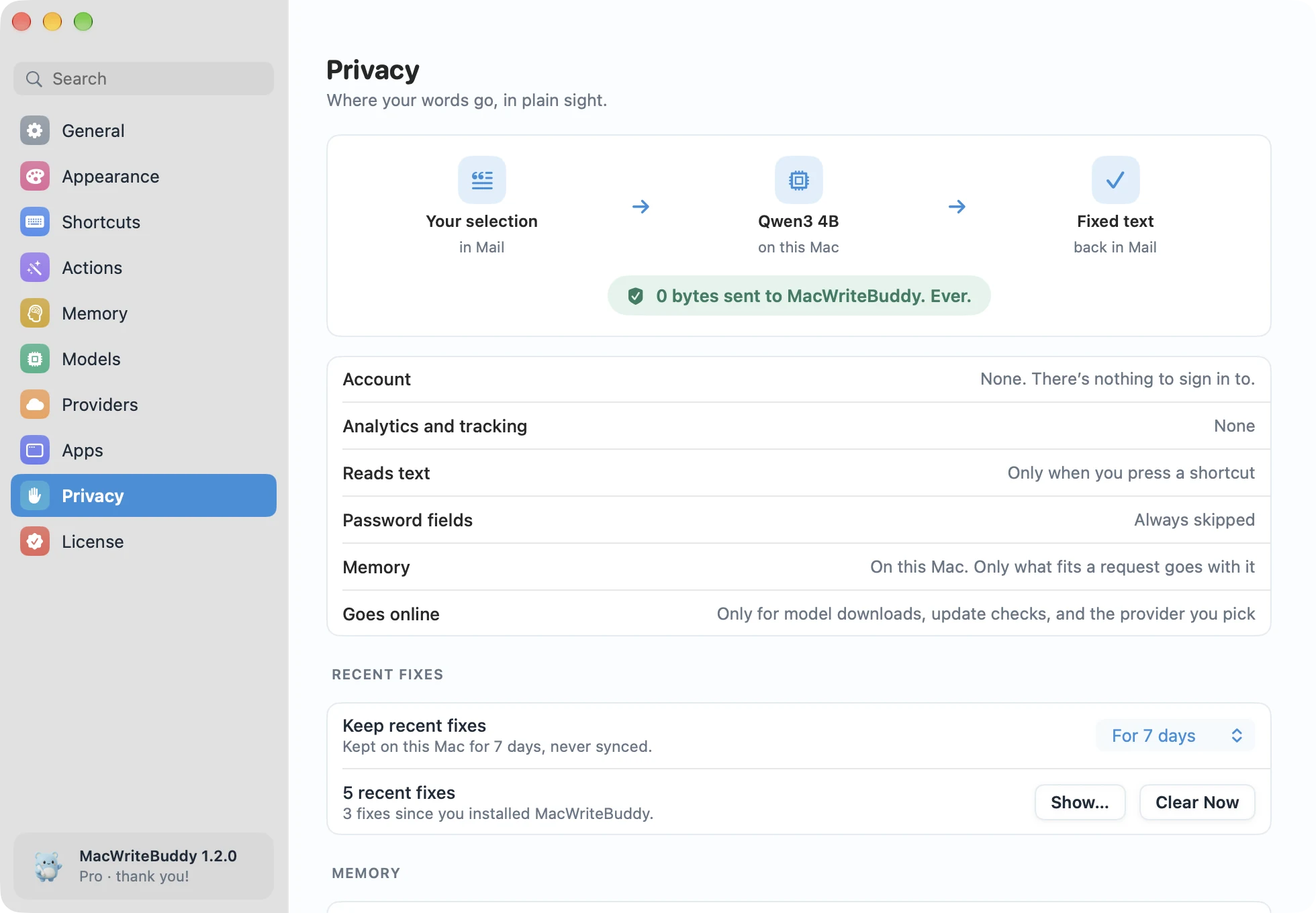
MacWriteBuddy has no server that receives your writing. It only goes online to download the models you pick, check for updates, and check a Pro license key. There’s no login, no account, and no tracking.
Which Mac do you need?
macOS 14 Sonoma or later, on Apple silicon or Intel. Local models run best on Apple silicon with 8 GB of memory or more; on older Macs, a cloud provider or your own Ollama server keeps things quick.
Does MacWriteBuddy work without an internet connection?
Yes, with a local model. Download a model once in Settings › Models and MacWriteBuddy fixes your writing with Wi-Fi switched off. It only goes online to download the models you pick, to check for updates, and, with Pro, to check your license key.
Does my text get uploaded to your servers?
Never. MacWriteBuddy has no server that receives your writing. With a local model, your text never leaves your Mac at all. With a cloud provider, it goes straight from your Mac to that provider using your key. The app only goes online to download the models you pick, to check for updates, and, with Pro, to check your license key.
Which models can I use?
Download a small open model from the built-in list and it runs right on your Mac, or connect your own Ollama or LM Studio server. You can also use any model your cloud provider offers. Each action can use a different model.
Which Mac do I need?
macOS 14 Sonoma or later, on Apple silicon or Intel. Local models run best on Apple silicon with 8 GB of memory or more; on older Macs, a cloud provider or your own Ollama server keeps things quick.
Fewer typos.
A lot more you.
Write freely. Your buddy will tidy up when you press the keys.
Download for MacVersion 1.2.2macOS 14 Sonoma or laterApple silicon & IntelHow to install