Rewrite any sentence, right where you typed it.
Shorten it, warm it up, make it formal, or translate it, in Mail, Slack, Notes, or any app. Every action has its own shortcut, and when none of them fit, just say what you want in your own words.
Version 1.2.2macOS 14 Sonoma or laterApple silicon & IntelHow to installHighlights
- Make it clearer, shorter, friendlier, or formal
- Translate into any language you choose, in place
- Turn a rambling paragraph into a tidy list
- Ask in your own words, like “make it sound excited”
An action for every rewrite
Each one works on the text you select, in any app, with its own shortcut:
- Make it clearer (⌃⌥C): Untangles long sentences and keeps the meaning.
- Make it shorter (⌃⌥S): Says the same thing in fewer words.
- Make it friendlier (⌃⌥F): Warmer, kinder, still you.
- Make it formal (⌃⌥P): Ready for clients, managers, and cover letters.
- Translate (⌃⌥T): Into any language you choose, in place.
- Bullet points (⌃⌥B): Turns a rambling paragraph into a tidy list.
- BEFORE
- Send me the file.
- AFTER MAKE IT FRIENDLIER
- Could you send me the file when you get a sec? Thanks!
No button for it? Just say it.
When none of the actions fit, tell MacWriteBuddy what you want, like “make it sound excited” or “turn this into a haiku”, and press Return. Type it in quick actions (⌃⌥Space), or under Custom… in any preview.
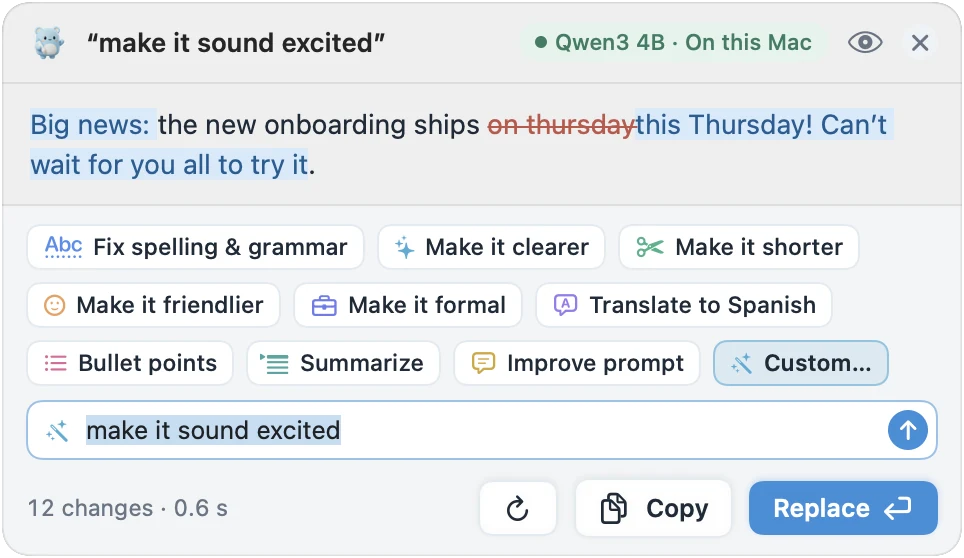
See it before it’s replaced
Every rewrite opens in a preview first. Try a different wording, or another action, from the same preview, or press Esc and nothing changes. ⌘Z undoes a replacement in the app you’re writing in.
Make your own actions
Asking for the same thing often? Make it an action with its own shortcut, its own model, and its own instructions, like “Reply politely”. You can edit the instructions behind every built-in action, too.
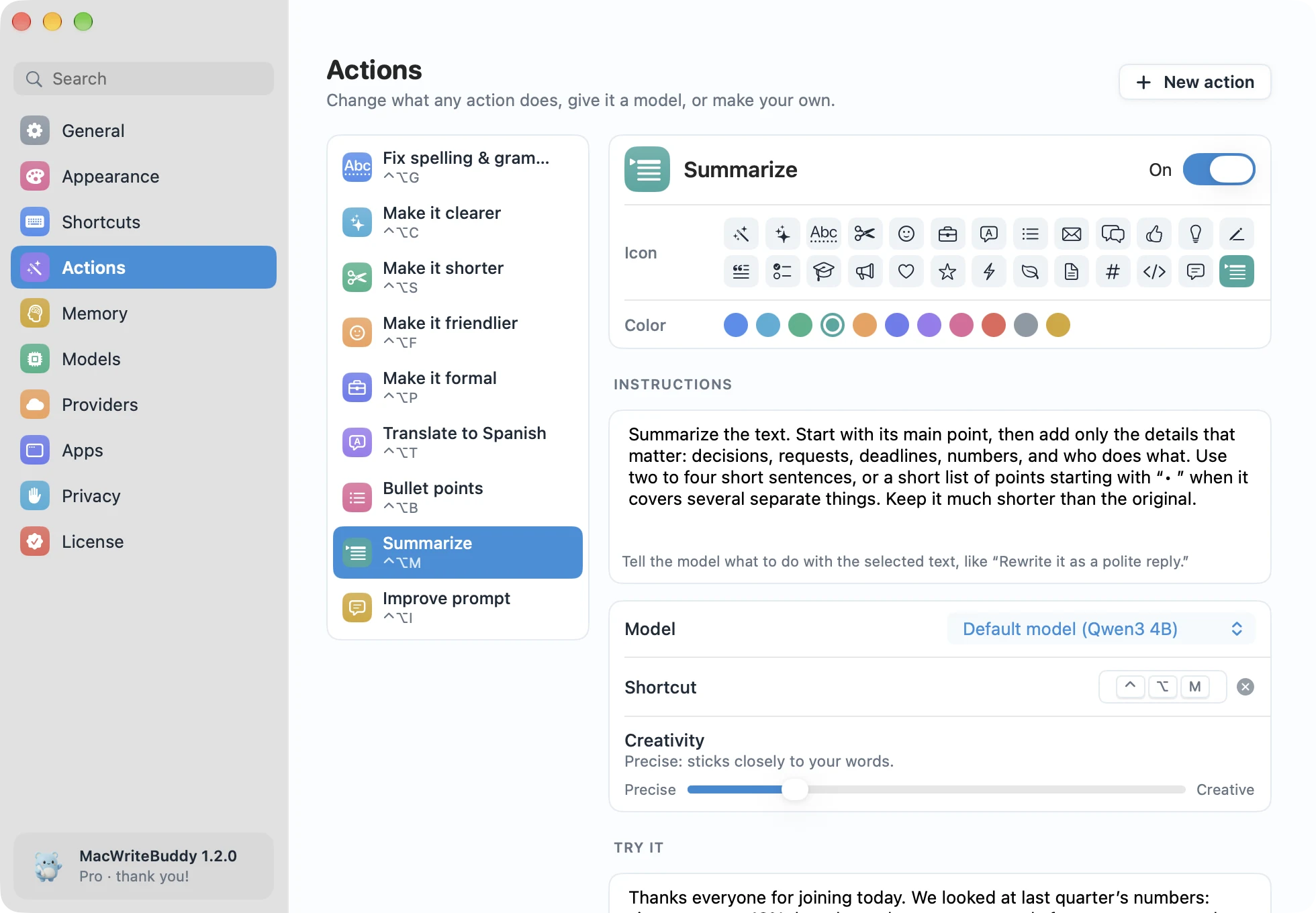
Part of MacWriteBuddy Pro
Fixing spelling and grammar is free. Every rewrite action, translation, your own actions and requests, and Memory come with Pro, a single payment of $39 (usually $79). No subscription and no account.
Can MacWriteBuddy translate text in any app?
Yes, with Pro. Select text in any app and press ⌃⌥T to translate it into the language you choose, in place. Every other action keeps your language: write in German, get German back.
Is MacWriteBuddy free?
Fixing spelling and grammar is free, forever, in every app. MacWriteBuddy Pro unlocks everything else (clearer, shorter, friendlier, formal, translate, bullet points, Summarize, Improve prompt, your own actions, and memory) for a single payment of $39, down from $79 at launch. No subscription and no account. Local models are free to run; if you choose a cloud provider, it bills your own API key at its usual rates, and we never add a markup or see the bill.
How do I unlock Pro?
Buy Pro from the pricing section or from the app (Settings › License). Your license key arrives by email; paste it into Settings › License and click Activate. About once a day the app checks the key with our license server, which only ever sees the key, a random id for your Mac, its name, and the app and macOS versions. Never your writing.
What is Memory, and where is it kept?
Memory is a short list of things MacWriteBuddy knows about you: facts like your name and role, how you like your writing, and words to always spell exactly. It’s stored only on your Mac, in ~/Library/Application Support/MacWriteBuddy, and never synced or uploaded. Add, pin, or clear memories in Settings › Memory, or type “remember …” in quick actions. If you turn on “Learn from fixes I replace”, sentences you fix are kept too, as examples of your voice.
Fewer typos.
A lot more you.
Write freely. Your buddy will tidy up when you press the keys.
Download for MacVersion 1.2.2macOS 14 Sonoma or laterApple silicon & IntelHow to install